
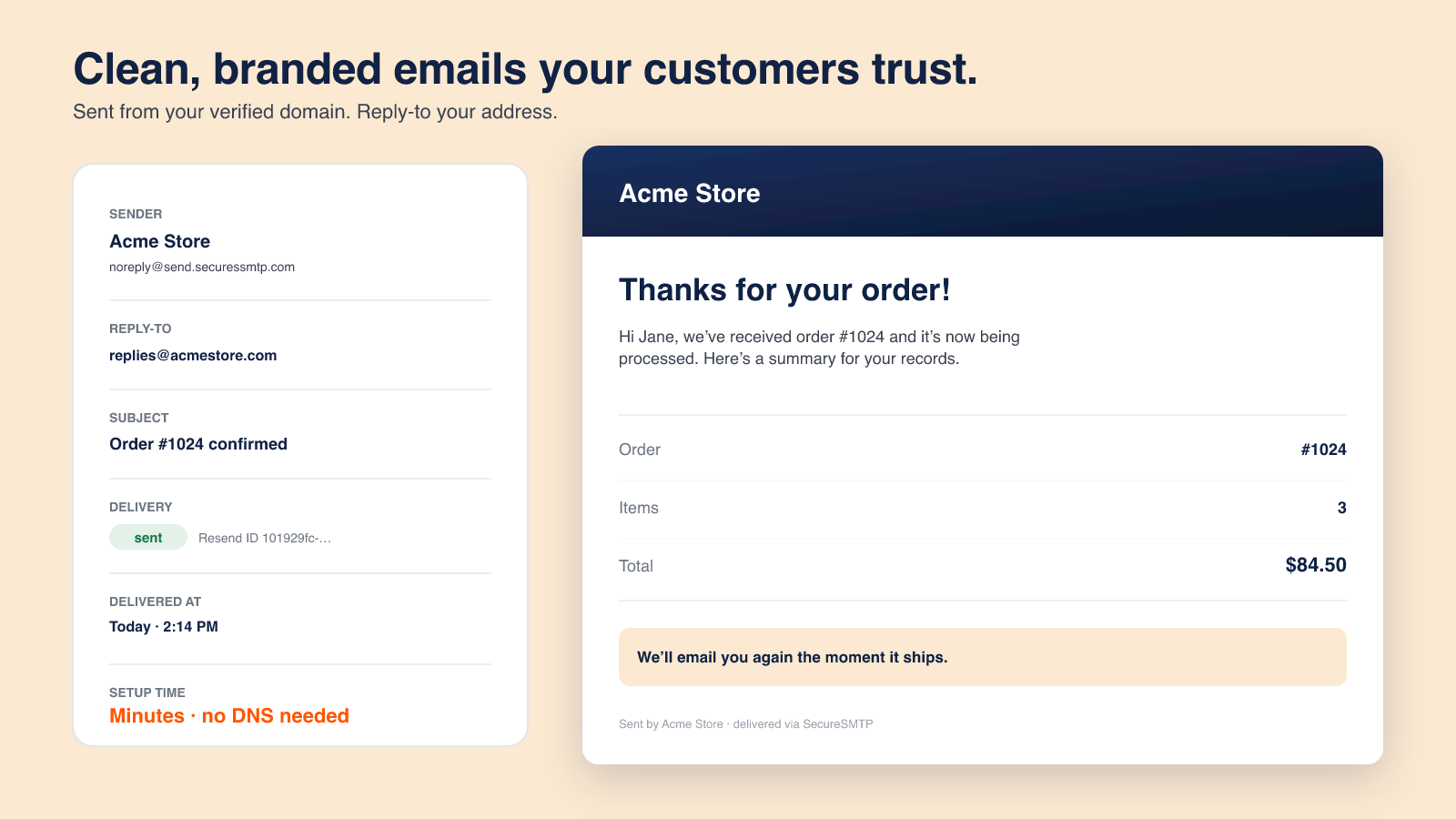
The official example shows a recognizable store email and reply-to address. Confirm the setup required for your own sending domain.
A customer waiting for a shipment needs a different email from a warehouse colleague preparing an order. A subscriber considering another purchase needs a different message again. Bringing those emails into one workspace is useful only if their purpose, audience and timing remain clear.
SecureSMTP – Store Email combines branded Shopify order emails, abandoned-checkout recovery, subscriber campaigns and event-based team alerts. Its current listing also describes email reporting and sending from your own domain with DKIM. The app is worth exploring when you want to organize customer and staff communication together, rather than treating every email as a newsletter.
This article is part of a reciprocal content collaboration. It explains the Shopify app's official description, not a test of delivery performance. The operating recommendations below are editorial guidance.
Separate the three audiences
The first decision is not the template color. It is who needs the message and why. The same order event can matter to a buyer and a member of staff, but those people need different information and different next steps.
Organize email by the job it needs to do
Customer order information
Help the buyer understand a purchase already made: its confirmation, payment, shipping or cancellation. Keep the essential status easy to find.
Internal operating alerts
Tell the relevant team that something needs attention. Decide who owns the response instead of copying every colleague on every event.
Subscriber and recovery messages
Help an appropriate recipient return to the store or consider an offer. Treat permission, unsubscribe handling and frequency as part of the communication plan.
This grouping is a planning framework, not a claim about three named menus in the app. Use it to review the emails your store already sends before adding new ones. Otherwise, a new tool can make an existing overlap harder to notice.
Keep customers informed through the order lifecycle
The SecureSMTP listing includes branded order confirmation, payment, shipping and cancellation emails. Each should answer the question associated with that stage, rather than reuse a generic “order update” message.
An order confirmation helps the customer recognize the purchase and find its details. A payment message should make the payment state understandable. A shipping message should distinguish dispatch information from a delivery promise. A cancellation message should explain the changed order status without implying that a refund has already arrived unless that has been established.
Branding helps the reader recognize the store, but accuracy is the first requirement. Review the subject, sender and message body together. A polished template cannot fix a subject line that suggests a parcel is delivered when the event only means it has shipped.
Before changing the live setup, confirm how SecureSMTP operates alongside Shopify's native notifications and any other email tools. The public listing does not explain every coexistence or replacement scenario. Do not switch off an existing message or assume deduplication without checking the relevant configuration with support.
Route internal events to the right team
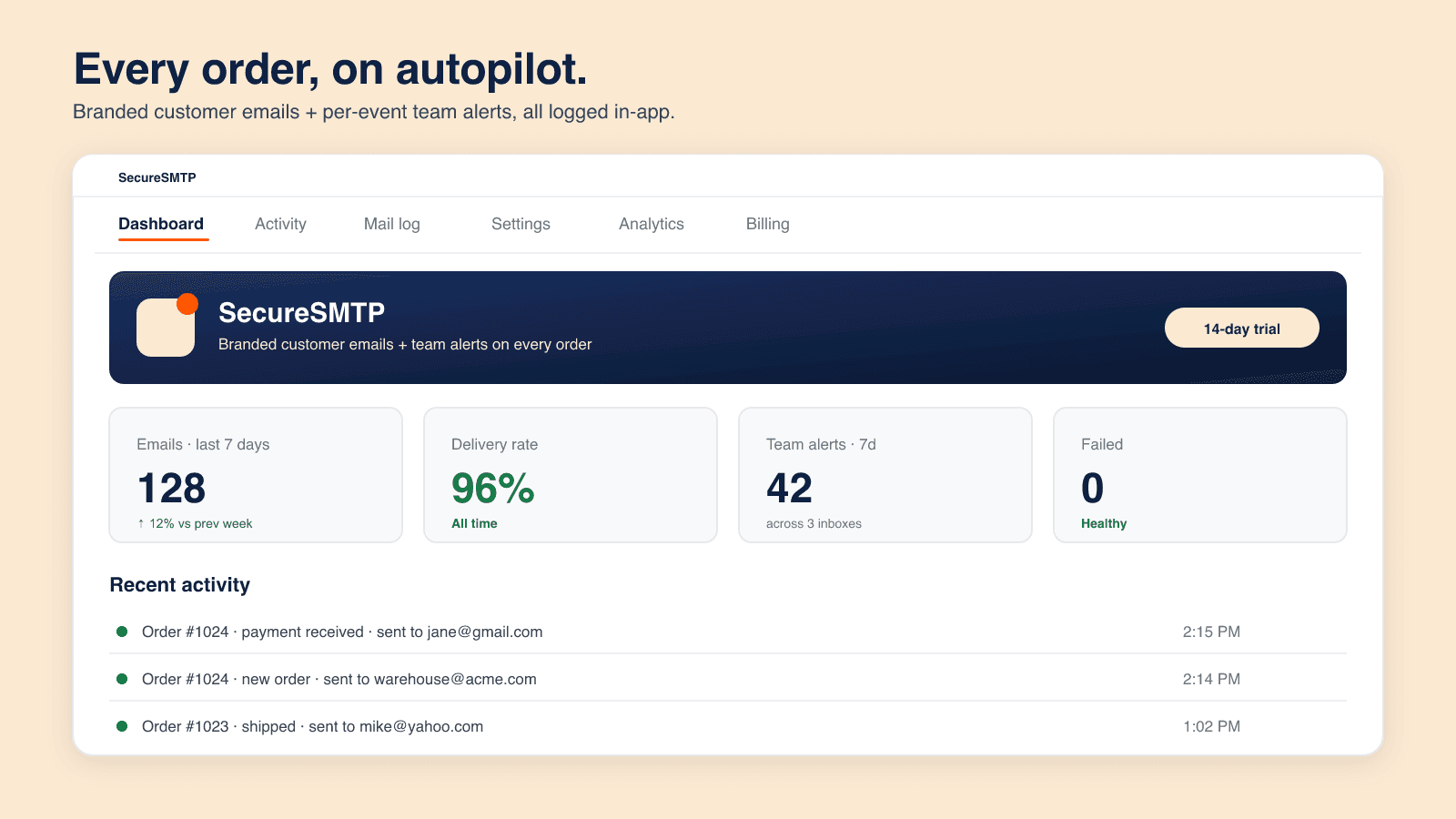
Order messages and team alerts appear together in the official example. Its displayed counts are illustrative, not promised performance.
The app describes team alerts per event and merchant-digest emails. The practical value is directing information toward the person who can use it, rather than turning an order event into another unread notification.
The following is a suggested responsibility map, not a set of preconfigured SecureSMTP workflows:
Swipe horizontally to read the full table.
| Event or message | Possible owner | Purpose of the handoff |
|---|---|---|
| Order creation | Fulfillment team | Recognize new work and check the order in the system used for preparation. |
| Cancellation | Customer service and fulfillment | Coordinate the customer response with whether preparation must stop. |
| Shipping update | Customer service | Answer order-status questions from the latest shipment information. |
| Merchant digest | Store owner or operations lead | Review activity without treating a summary as an urgent exception alert. |
Keep the owner explicit. If several people receive an alert, decide who acts and who is receiving it for awareness. Email is a notification channel; it is not proof that the work has been completed.
For teams that need notifications about broader store changes, our StoreAlert guide addresses a different monitoring task. Do not assume SecureSMTP includes that app's event coverage or delivery channels.
Connect recovery and campaigns to a subscriber journey
SecureSMTP lists abandoned-checkout recovery, welcome messages, review requests and subscriber newsletters, with storefront signup forms and one-click unsubscribe. Those capabilities concern different moments in the customer relationship.
Recovery is a continuation, not a new order
An unfinished checkout is not a completed purchase. Recovery copy should help the recipient resume the relevant buying task without claiming that an order is already confirmed. It should also avoid unsupported urgency about stock or discount expiry.
Confirm the sending conditions, delay and stop behavior before setting up a recovery sequence. The listing identifies the feature but does not document every timing or suppression rule. In particular, do not assume a marketing sequence stops after purchase unless that behavior has been confirmed for your setup.
Welcome messages should match the signup promise
What did the visitor expect when submitting the form: store news, an offer or a particular type of content? Carry that expectation into the first email. A welcome message is easier to understand when it explains the relationship rather than immediately becoming an unrelated campaign.
Campaigns and review requests need their own context
A newsletter should have a clear reason to be sent. A review request should be appropriate to the customer's actual experience, not simply timed to the moment an order is created. These are content-planning principles, not undocumented automatic triggers.
Keep consent and unsubscribe handling in the operating plan. A one-click unsubscribe feature is useful, but its presence alone is not a legal-compliance guarantee or proof that every other connected list stays synchronized.
Use a sending domain and read the reports
Read the email report in the right order
Delivery
Start with whether the message reached the reported delivery stage. If a customer reports a missing email, compare the recipient and message with the delivery record before changing the copy.
Opens
Use recorded opens as an interaction signal, not proof that the customer understood the message or completed the intended action.
Clicks
Check which link the email asks the customer to use. A click on a tracking link, an unfinished-checkout link and an unsubscribe link represent different tasks.
The Shopify listing documents delivery, open and click reporting. The interpretation above is a reading guide, not a claim of purchase attribution or a guarantee that every email interaction is recorded. Review the actual message alongside its report so that an operational confirmation is not judged by the same criteria as a newsletter.
The current listing describes DKIM for sending from your own domain, plus delivery, open and click reporting. Follow the app's actual domain-setup instructions with the person who manages your domain. A promotional image is not sufficient documentation for the required DNS configuration.
Domain authentication and inbox placement are not the same promise. DKIM can help authenticate a message, but it does not guarantee that every recipient sees it in the inbox. Likewise, a successful send or delivery status is not proof that a customer read the email.
When reviewing reports, keep the questions separate. Delivery reporting concerns the message's transport status. Opens and clicks concern recorded interactions. Purchases concern a later commercial outcome. None should be used as a substitute for the others, and a screenshot's example percentage should not become a target the app guarantees.
Use the reports to investigate specific communication problems: a recipient says the message did not arrive, an internal team is receiving the wrong alert, or a campaign's link is unclear. Combining the report with the actual message is more useful than looking at a single headline number.
Choose a plan by marketing-email volume
The Shopify plan table, checked October 8, 2026, separates monthly marketing allowances from order and transactional emails:
Swipe horizontally to read the full table.
| Plan | Monthly price | Marketing emails per month |
|---|---|---|
| Free | $0 | 5,000 |
| Starter | $9 | 25,000 |
| Growth | $29 | 100,000 |
| Scale | $99 | 500,000 |
The listing includes unlimited order and transactional emails and every feature in these plans. Paid plans show a 14-day free trial. Confirm counting and over-limit behavior before planning a campaign near an allowance; the plan table does not explain every billing edge case.
The separate SecureSMTP website discusses a general email-relay service. Its cross-platform features and prices are not the Shopify app's plan table. Budget for the product you are installing, not an adjacent service with a similar name.
Frequently asked questions
Does SecureSMTP send only order confirmations?
No. The current Shopify listing also includes other order messages, recovery, subscriber campaigns and staff alerts. Plan these as separate communication tasks.
Do transactional emails consume the listed marketing allowance?
The plan table lists a marketing-email allowance and unlimited order and transactional emails separately. Ask support how particular message types are classified if your campaign depends on the boundary.
Can I send from my own domain?
The listing describes own-domain sending with DKIM. Confirm the domain-authentication setup rather than relying on a generic SMTP tutorial.
Should I disable Shopify's native notifications?
Not solely on the basis of this article. Confirm which system sends each message and how duplicate or replacement notifications are handled before changing a working setup.
See SecureSMTP on Shopify for the current app and offer, then review the complete message journey from signup or purchase to the next useful action.
Visit the SecureSMTP website to learn about its email services, and use the Shopify App Store listing above for the store-specific app plans.

