
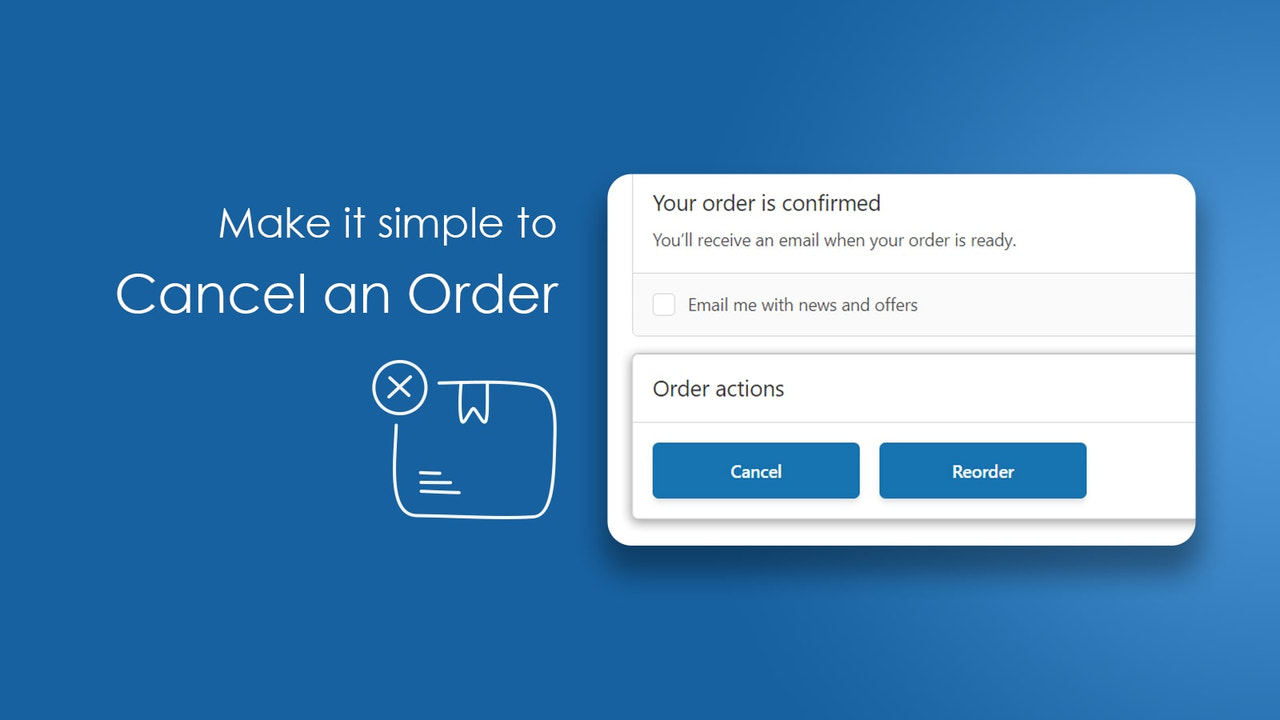
Algoshop AI Sales Chatbot helps customers find answers after purchase. When someone wants to stop an order, the answer needs a clear next step: an eligible cancellation action or a route to the store's team. Codify Order Cancel addresses that self-service step for unfulfilled orders, rather than treating every request as a return or refund.
Codify Order Cancel allows customers to cancel unfulfilled orders and reorder previous orders through supported customer-facing order pages. Merchants can set a cancellation time limit, customize text and choose automatic restocking. The useful result is a faster, clearer next step—not an unrestricted promise that every order can be reversed.
Distinguish cancellation from refund and return
Cancellation stops an order from proceeding. A refund concerns money. A return concerns goods already delivered or dispatched. The actions can be related, but they are not interchangeable.
The Codify listing describes cancellation for unfulfilled orders from the order status page, account and order page, plus one-click reordering, a cancellation time limit, text customization and optional automatic restocking.
It does not establish that every payment provider, warehouse or external fulfillment system will automatically reverse its own activity. Treat those connections as separate operating checks.
A customer who chose the wrong color immediately after checkout may need cancellation. A customer with a dispatched order may instead need a return or address-resolution process. Showing the same instruction for both situations creates confusion even if the button itself is easy to use.
Where self-service changes the customer experience
An early cancellation is often a simple correction, not a complaint: the wrong color, a duplicated purchase or an order placed before checking the details. When the order is eligible, a customer-facing action can shorten the path from noticing the mistake to stopping the purchase. Codify places that path on supported order and account pages, where the buyer is already looking for purchase information.
That location is important. A cancellation policy hidden elsewhere tells the customer what might be possible, but still leaves them looking for an email address and waiting for a response. The app's stated combination of an order-page action, a time limit and customizable text lets the merchant present both the available action and its boundary. The actual limit should follow the store's fulfillment process, which the next section explains.
Swipe horizontally to read the full table.
| Capability in the Codify listing | Customer benefit | Merchant decision |
|---|---|---|
| Cancellation for unfulfilled orders | A direct route for an eligible change of mind | Define when physical fulfillment can still be stopped |
| Cancellation time limit | A clearer expectation about the self-service window | Set a realistic window and explain the alternative afterward |
| Optional automatic restocking | Canceled ordinary stock can become available again | Check that restocking reflects the actual goods and workflow |
| One-click reordering | A returning buyer can begin from a previous purchase | Make current availability and prices clear before the new purchase |
| Customizable text | Instructions can match the store's policy and voice | State the next step without implying an unconfirmed refund |
These capabilities come from the official product listing. The benefit is greatest when the store can turn a common, eligible request into a predictable path. It is less useful to advertise unlimited cancellation when production starts immediately or another fulfillment system cannot reliably stop work.
Reordering also deserves its own purpose. It can help a repeat buyer begin another purchase without rebuilding a familiar selection manually. That is not the same as undoing a cancellation or restoring an old price. Keep the new purchase and the earlier order understandable as separate transactions.
Set the window around your fulfillment process
A cancellation window should reflect when the business can reliably stop work. If the warehouse begins picking quickly, a long window may promise more than operations can deliver.
Choose the limit using your own order-to-warehouse timing. Neither the Listing nor the article below establishes a universal default that is safe for every store.
Before choosing a limit, identify:
- When orders reach the warehouse or third-party fulfillment service.
- Whether staff begin picking before Shopify shows fulfillment.
- Whether custom production starts immediately.
- Who handles a request that falls outside the self-service policy.
An order can be marked unfulfilled while its goods are already being packed. That is the most important operational gap to resolve: the system status alone may not describe physical work accurately enough.

Customers can access order actions from the order-status page.
Follow three orders through the decision
Three fulfillment situations to review
Before physical work starts
Situation to check: The order is unfulfilled and meets your configured cancellation conditions.
Next step to validate: The supported customer cancellation action and resulting order status.
Work has started
Situation to check: Shopify still shows unfulfilled, but staff or a fulfillment partner are already working on the order.
Next step to validate: Whether the business can stop that work; do not assume the app detects it.
Goods have been dispatched
Situation to check: The parcel has left and the request no longer fits a pre-fulfillment cancellation.
Next step to explain: The store's delivery-support or return process.
These are workflow situations to inspect in your own business, not recorded customer orders or app test results. The straightforward benefit is a direct action for an eligible request; the risk is promising that a digital status automatically stops physical work.
If picking or custom production can start before the configured window ends, resolve that gap before advertising self-service. For an ineligible order, keep the next contact route visible rather than leaving a disabled button as the only explanation.
Use these cases during rollout to decide which outcomes can be self-service and which need staff. A clear boundary is more useful than a policy that sounds generous but fails when customers try it.
Make the customer messages actionable
Codify supports text customization. Use that ability to explain the action and what happens afterward, not merely to rename the button.
The developer's cancellation guide describes headings, button text and error-text customization, as well as selectable cancellation reasons. Use customer language for each: the action, the boundary and the next step. Reasons can help your team distinguish an ordering mistake from another issue; they do not automatically explain the cause of every canceled purchase.
Eligible, editorial message: “You can cancel this order while it remains eligible. After cancellation, check the order confirmation for its updated status.”
Outside self-service, editorial message: “This order can no longer be canceled through this page. Contact the store with your order number for the available options.”
For a dispatched order, point directly to the store's return instructions or delivery-support route. The customer's next step should stay visible even when cancellation is unavailable.
These are suggested customer messages, not confirmed Codify notification templates. Configure the supported text fields and ensure links point to the correct support and policy pages.
Avoid saying “your refund is complete” unless the financial status actually confirms it. A reassuring but inaccurate message creates another support request.
Restock deliberately and check financial status
Automatic restocking is a stated Codify option. It can reduce manual work for eligible cancellations, but returned stock must represent goods the store can actually sell.
The official guide separately describes automatic refunds for canceled paid orders and a choice about refunding the shipping charge. Review those settings alongside restocking, rather than assuming one switch controls both goods and money. Confirm the behavior for the store's payment method and inspect the transaction after a test cancellation; a configured option is not proof that the customer has received the funds.
If the order reserved two ordinary products and neither has left the shelf, restocking may be appropriate. If a personalized item has entered production, returning a standard inventory quantity may not describe the real situation.

Cancellation reasons help you understand why customers change their minds.
After a pilot cancellation, reconcile the order's canceled state, inventory quantity and payment/refund state separately. Also check the fulfillment service if one is involved.
Record which team owns discrepancies. Support should not assume the warehouse stopped merely because the customer completed an action; the warehouse should not assume finance issued a refund because stock returned.
Use reordering and test the complete path
Codify also lists one-click reordering of a prior order. For the early wrong-color request, first confirm the cancellation result and payment state, then help the buyer review a new purchase with the intended variant. For a returning customer who wants the same assortment again, the reorder capability offers a shorter route than rebuilding the previous selection manually.
A reorder is still a new commercial decision. Check the current product availability and prices, particularly when the original order is old. Do not promise that a previously bought item is always available.
The developer's guide describes an order-status widget containing cancel and reorder actions, with account-page placement also discussed. Account and checkout-extension setup can depend on the store configuration; ask support which route applies to your current accounts before relying on an older setup description. Test as a customer, not only from the merchant's admin screen.
For a pilot, test eligible and ineligible orders, repeated clicks, the cancellation time boundary, restocking behavior and the customer-facing outcome. Verify the resulting order record rather than treating the appearance of a button as a successful test.
For custom work, the custom order information guide discusses a different operational challenge: preserving what the customer requested.
Codify fits merchants seeking a defined self-service route for unfulfilled orders and convenient reordering. Start with Codify Order Cancel on Shopify, choose a realistic cancellation window and make every outcome tell the customer what to do next.

