
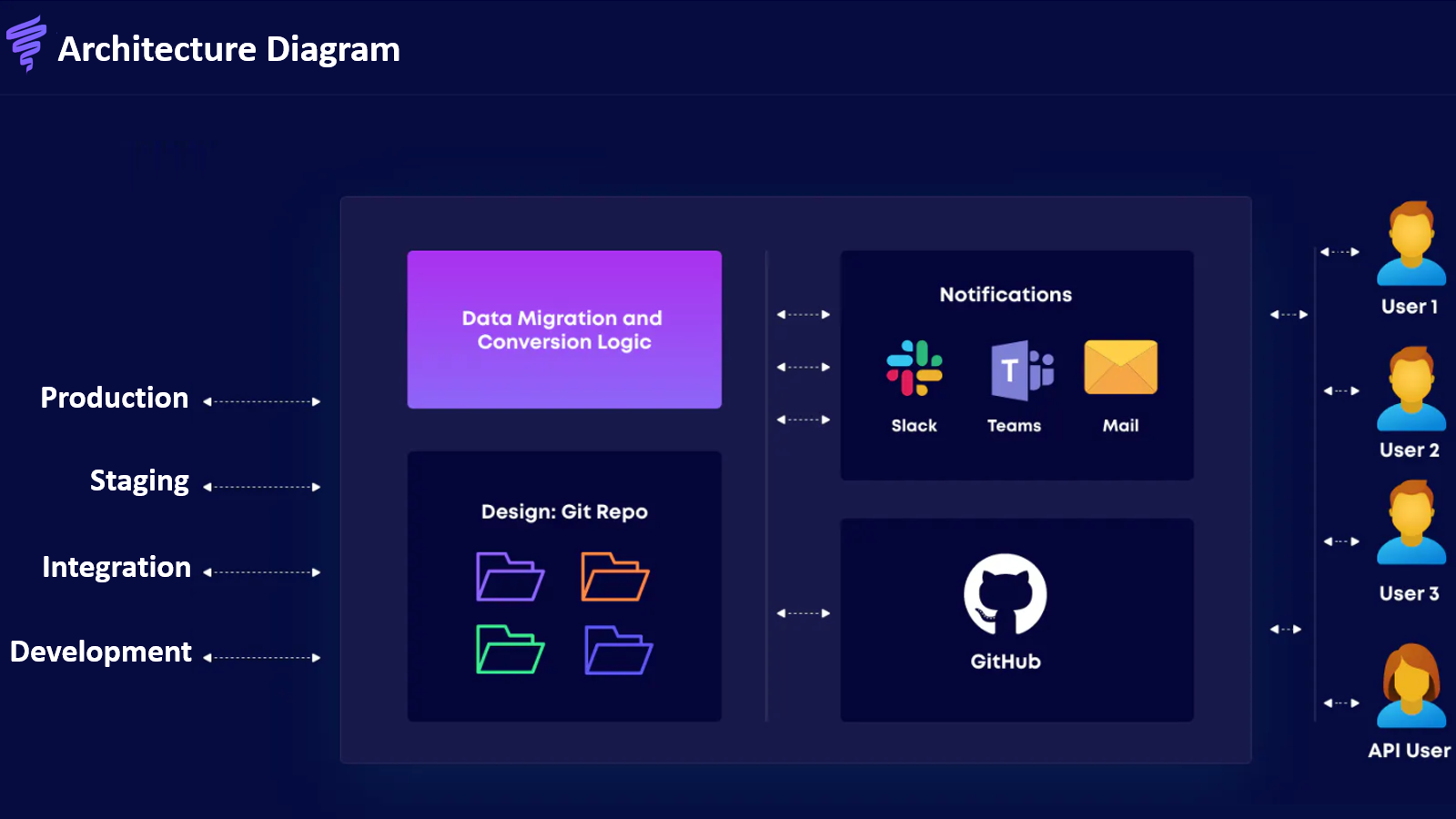
A store change can look right in a preview and still need more work before release. The product catalog, connected apps and the team's review process may all matter alongside the theme. A staging environment gives that wider work a place to happen without treating the live storefront as the first review.
Vortex IQ Staging is a Shopify store-replication and staging app aimed at merchants, agencies and development teams. Its listing describes replicated store data and themes, anonymised data and team integrations. The value is a separate environment for preparing and reviewing a change; replication itself is not proof that every purchase flow or external connection has been tested.
This article is part of a reciprocal content collaboration. It explains official materials and recommended release practices, not a hands-on migration or a measured deployment result.
Why a theme preview is not the whole workflow
A theme preview is useful for reviewing presentation. A broader store change can involve more than presentation: catalog relationships, customer-facing app behavior or the way a team moves work between environments.
For example, a revised product experience may need to be reviewed with the relevant products and collections, not only an empty layout. A development team may need an agreed place for another colleague to review the change. A merchant may need to understand exactly what will be released and what will remain unchanged.
These are reasons to consider staging, not reasons to dismiss Shopify's native preview tools. Start by identifying the work that needs its own environment. A simple visual adjustment and a wider store migration do not require the same review process.
Understand what the staging environment reproduces
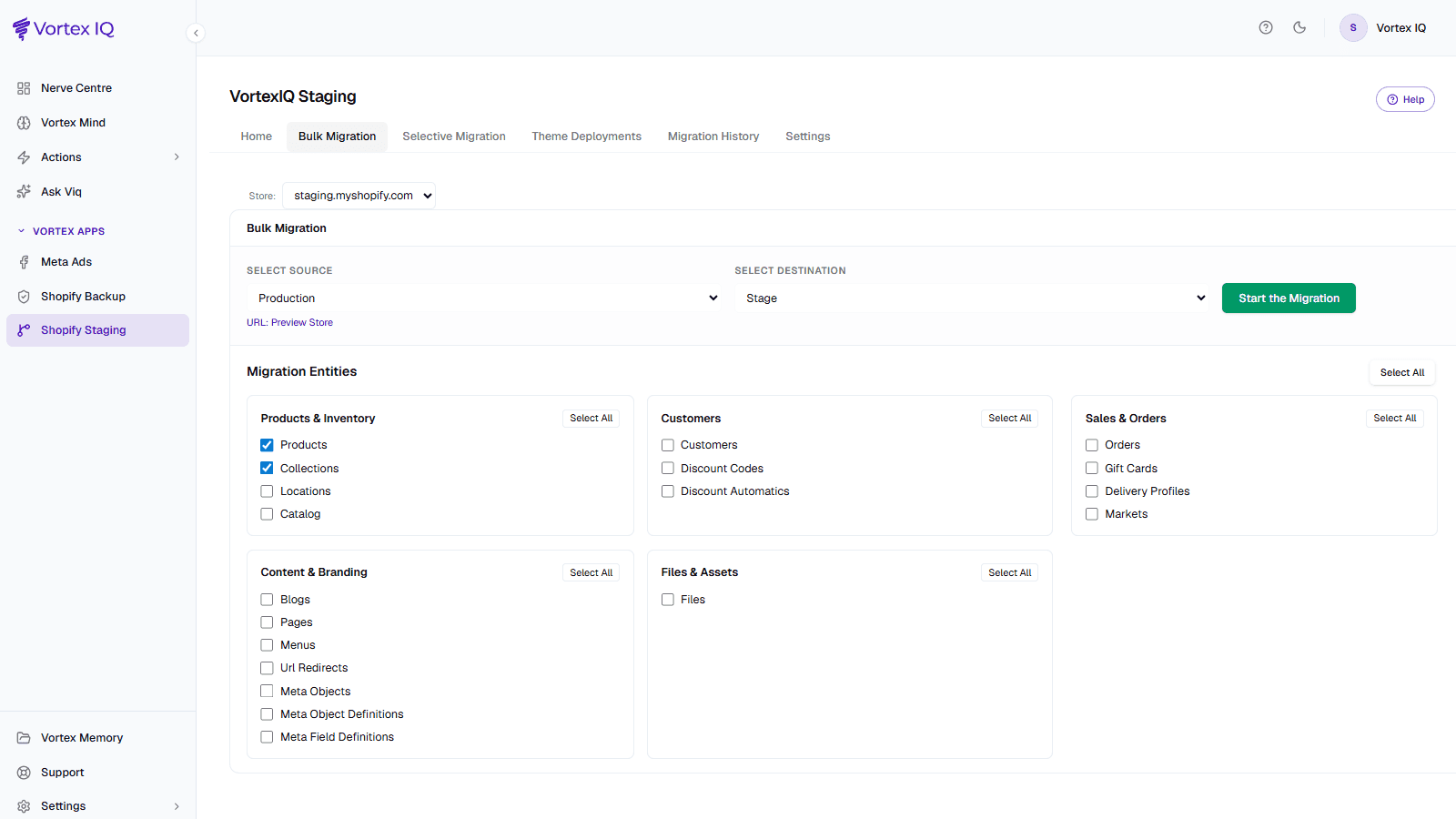
The source, destination and selected data define the proposed copy. Review that scope before starting a migration.
The Vortex IQ Staging listing describes store replication covering data and theme, with plan descriptions mentioning products, collections, inventory, apps and checkout. Paid staging copy also mentions redirects and additional custom store data. A scope label should start a conversation about the specific store, not end it.
| Area to review | What the team needs to establish |
|---|---|
| Products, collections and inventory | Which records are copied, what relationship to live stock remains, and what refresh or overwrite means. |
| Theme and storefront | Which version is being reviewed and what will actually be included in release. |
| Apps and checkout | Which installations, licenses and connections need separate setup or a test configuration. |
| Redirects and other store data | Which supported objects matter to the proposed change and how they are handled. |
This table is a merchant scope review, not an unsupported guarantee that every object or third-party service is copied completely. In particular, do not assume that app credentials, payment services or notification settings move safely merely because an environment is called a replica.
Keep the source and destination explicit. A copied environment becomes much less useful if the team cannot tell which production state it represents or whether later changes have been included. Before a refresh, decide which work in the destination needs to be preserved and which data is intended to be replaced.
Use representative data without assuming privacy is automatic
The product description says the replica uses anonymised data. That can support reviewing an environment without treating every live customer detail as necessary test material. However, the public description does not establish every field processed, every exception or the treatment of data held by other connected apps.
Ask what anonymisation covers for the data you intend to copy and who will have access to the destination. Avoid making a privacy or compliance guarantee from the word anonymised alone. A staging store can still contain business-sensitive material even if particular customer fields have been changed.
Representative data should help the team review the intended task. Choose the product and order situations relevant to the change, while keeping customer communication, payments and fulfillment from being accidentally triggered in an inappropriate environment. These are release-planning requirements to confirm, not isolation guarantees established by this article.
Give development and review clear owners
Vortex IQ lists GitHub, Slack, Microsoft Teams and email among its integrations. That makes team coordination part of the product's positioning, but the listing does not establish a complete automatic code-review or continuous-deployment workflow for every integration.
Agree where the team records the proposed change, who reviews it and who can approve production work. The roles below are a suggested operating model rather than built-in permission groups:
A release should have an owner at every handoff
Developer or designer
Prepare the change and explain its scope. Identify the environment and version being offered for review, including known limitations.
Merchant or reviewer
Review the buying task, content and business expectations. Record the decision instead of relying on an informal message that nobody can find later.
Release owner
Confirm what will change in production, the agreed recovery option and who checks the result. Coordinate release timing with the people affected.
The goal is not additional ceremony for its own sake. It is making sure the person who approves a change understands the same thing as the person who releases it. A notification can help that handoff; it does not replace the decision.
Keep testing, deployment and rollback distinct
Testing checks the proposed behavior. Deployment applies an approved change. Rollback is a recovery action when something needs to be restored. Each has a different scope and should be explained separately in the team's release plan.
Review the important customer tasks in the staging environment: finding the relevant product, understanding its options and completing the intended purchasing path in the agreed test setup. Also review the operational consequences, such as notifications and downstream handoffs. This is an editorial review approach, not a record that we completed those tests with Vortex IQ.
The listing describes one-click deployment and refers to rollback through RollbackPro. Confirm which product and subscription provides that capability, what objects are covered and what the recovery action can undo. Do not assume a rollback reverses every external app action, live customer order or payment.
The wider Vortex IQ site now describes an AI workforce and several related products. Those broader platform features should not automatically be attributed to the Shopify Staging app. Its public claims methodology likewise explains that published historical figures are not guarantees for a new merchant; we are not using those figures as staging performance results.
Understand replication and usage charges
The listing's plan descriptions put staging and the wider AI Operating System in the same pricing area. Read the named offer rather than treating every feature on the page as part of the Staging subscription.
Swipe horizontally to read the full table.
| Offer described in the listing | Replication allowance | Scope to distinguish |
|---|---|---|
| Free installation | One per month | Lists products, collections, inventory, theme, apps and checkout |
| Staging | Up to three per month | Also names redirects and additional custom store data; lists deployment and rollback |
| Foundation | Unlimited replications | Includes Staging plus the wider AI OS; it is not the $99 Staging plan |
The table summarizes the published offers, not a guarantee that every third-party app setting transfers. Before choosing a plan, agree on the objects needed for your review and ask how subscription and migrated-document charges apply together. Do not add every displayed usage band to calculate a monthly total: the listing says the monthly usage total determines the cost for all usage.
The Shopify listing, checked October 8, 2026, includes a free installation offer with one replication per month and a Staging plan at $99 per month with up to three replications and a 15-day free trial. It also presents a limited Founding offer and wider AI Operating System plans. Confirm availability and entitlement instead of assuming those offers are interchangeable.
The listing separately displays monthly migrated-documents usage charges:
| Monthly usage band | Listed charge |
|---|---|
| First 25,000 | Free |
| 25,001–100,000 | $199 |
| 100,001–500,000 | $499 |
| 500,001–1,000,000 | $799 |
| 1,000,001 or more | $1,199 |
It states that the monthly usage total determines the cost for all usage. These are displayed usage bands, not a per-product or per-order formula. The public listing does not fully explain how document counts and subscription entitlements interact for every plan.
Before budgeting, ask what counts as a migrated document, how repeated copies are counted and which usage charges apply to the subscription being considered. A free installation label alone is not a complete estimate, and a stated replication allowance is not a guarantee of no additional charge.
Where staging fits beside data-copy tools
Staging is useful when the job is preparing, reviewing and releasing a store change with a team. Repeatedly moving selected data between stores is related but can be a narrower operational job. Our HyperSync guide discusses that copying workflow; it is not an independent head-to-head performance comparison.
Choose by the actual task. If the team needs a separate review environment, clarify its scope and release process. If the task is recurring data movement, clarify what is moved and how changes are handled. In both cases, a precise operating brief is more useful than asking for a complete replica without defining what complete means.
Frequently asked questions
Does staging automatically reproduce every third-party app?
The listing mentions apps, but that does not establish migration of every license, credential or external service. Confirm the specific apps and test connections needed by your store.
Does anonymised data guarantee the environment contains no sensitive information?
No such guarantee is established here. Ask which fields and systems are covered, and review access to the resulting environment.
Is rollback a separate product?
The Staging listing refers to RollbackPro. Confirm the subscription relationship and supported recovery scope directly with Vortex IQ before relying on it.
Can the free offer still involve usage charges?
The listing displays usage charges alongside free installation. Confirm which charges apply and how your migration is counted; do not equate free installation with a guaranteed zero-cost project.
Start with the correct Staging app listing, rather than a different Vortex IQ app, and ask the team to confirm the scope of the environment you actually need.

