
A staging store is useful only when it contains the data your team needs to test. Copying a catalog once can get a project started; keeping that destination useful after the source changes is a separate problem.
HyperSync is a run-based Shopify data-copy tool. It can move selected resources between connected stores or export and import an archive. Its distinguishing feature is repeatability: the product tracks what it created so a later run can update those items rather than create another copy.
This guide is part of a reciprocal content collaboration with Hypermetron. It covers the product's published scope, not a migration or recovery test conducted by Algoshop.
Choose which Shopify store data to copy
The official coverage page lists supported resources and their exceptions. Products and variants, collections, pages, blogs, files and other listed resources can move, but that does not mean every Shopify setting or every app's private data is cloned.
Orders and customers are not currently part of the documented copy scope. A theme, staff account, payment configuration or another app's private records should not be assumed to arrive simply because the destination has matching catalog content.
Define the task before selecting resources. A theme test may need representative products and collections. A catalog handoff may need a broader selection. A store migration needs a separate checklist for anything HyperSync does not copy. The tool moves data; your project determines whether that data is sufficient.
Pair stores and review the expanded selection
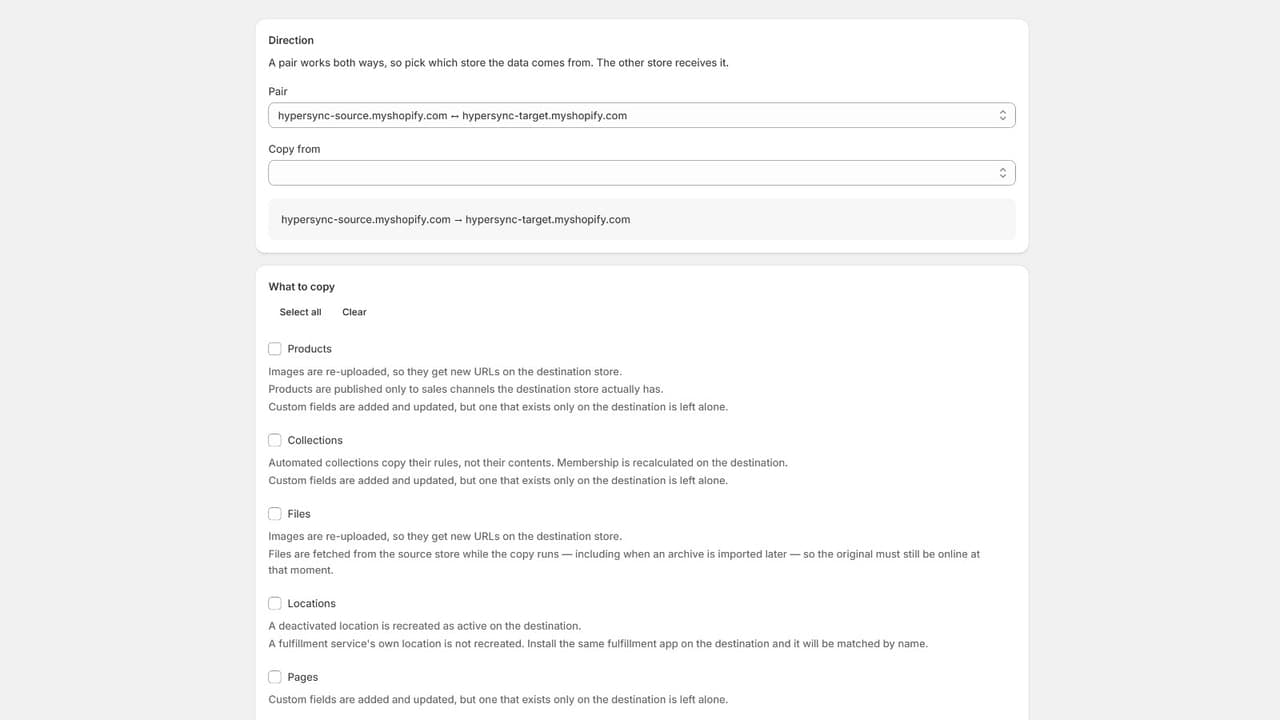
Choose the source, destination and resources deliberately before running the copy.
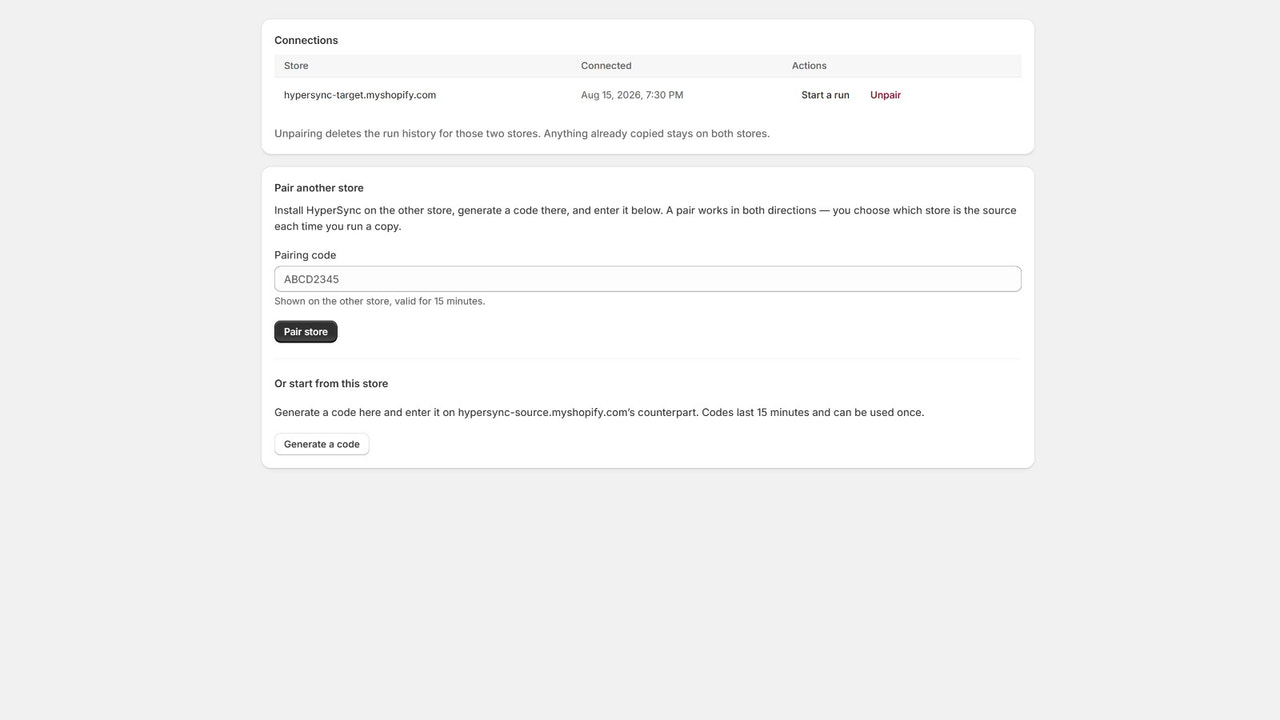
The website describes installing HyperSync on both stores and connecting them with a pairing code. Either side can then be the source. Choose the direction deliberately: refreshing staging from production and writing staging changes back to production are materially different actions.
When you select resources, the app includes supported dependencies and shows the expanded list before the run. That preview is useful because a product is not always an isolated record. Review what will move, which destination will receive it, and whether the selected content belongs in that environment.
Two ways to move the data
Store-to-store copy
Pair the stores and choose the source, destination and supported resources. Use it when both environments are available and you want a repeatable copy relationship.
Export and import
Create an archive of a selection and import it later. A single-store plan can use this route, but image links in the archive still depend on the original files being available.
The comparison is about access and workflow, not a claim that an archive is a complete independent backup.
Re-running is the feature that keeps staging useful
HyperSync's product explanation says it records the relationship between source and destination items. Later runs update the items it has already mapped. The website also describes matching existing items by handle or SKU and reporting the update.
That behavior deserves more attention than a generic “sync” label. It makes a refresh different from blindly importing a fresh copy of every product. It also means a run can change the destination: non-duplication is not the same as preserving every local edit.
Before refreshing, decide whether destination-only changes must remain. For staging, you may want source content to replace test content. For another live store, you may need different handling. Use the current coverage rules and the selection preview to understand that decision rather than treating “safe re-run” as permission to overwrite without review.
Read created, updated and skipped as different outcomes
The HyperSync listing makes the expanded selection and run report central to the workflow. Read them as the before-and-after account of a specific copy, not a blanket certificate that staging now matches production.
Review the copy before trusting the destination
Before the run
Inspect the full selection, including the supported dependencies added by the app. Confirm the source and destination before anything moves.
After the run
Separate created, updated and skipped items and read their reasons. A refresh can update previously copied items without creating duplicates, but that still changes the destination.
Before using the result
Open the relevant destination pages and records for the planned test. Carry any unresolved skips into the project checklist instead of assuming a completed job means complete coverage.
For an agency managing several store pairs, the listed plans distinguish simultaneous copies from queued extra runs. Plan the sequence around the environments you need, rather than assuming all connected stores refresh continuously in the background.
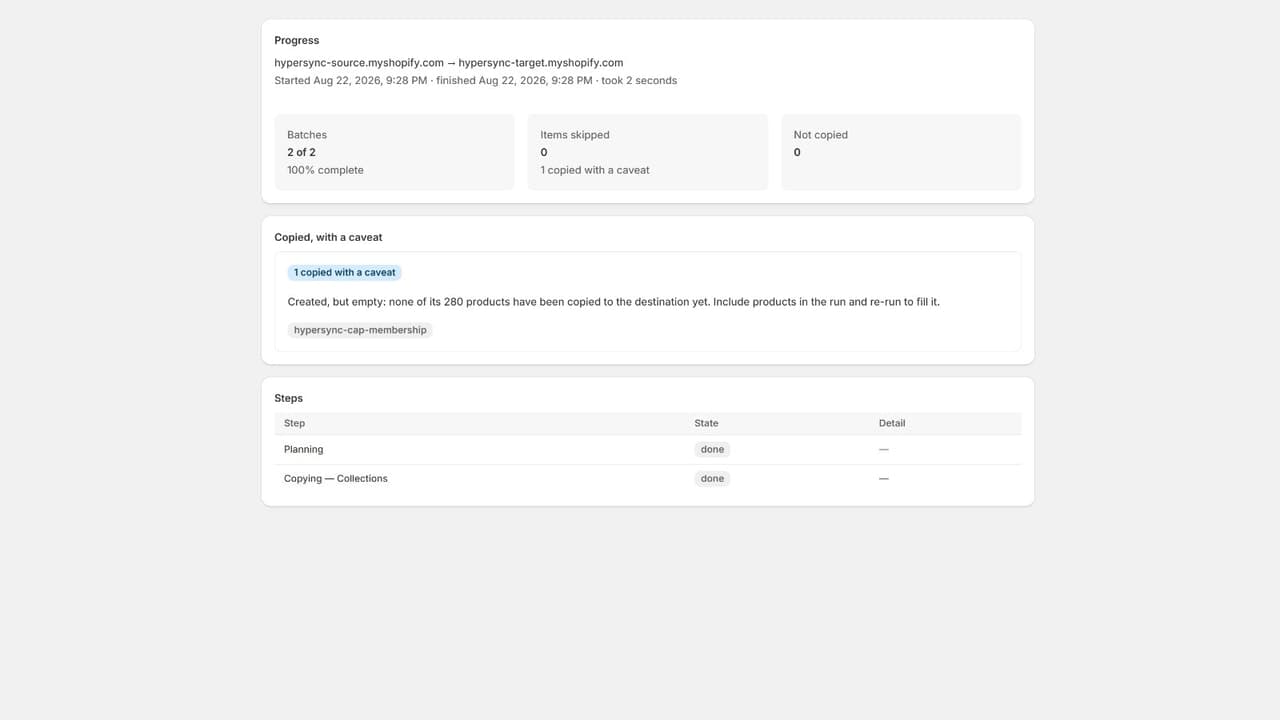
This official example flags a collection whose products were not yet copied.
The listing describes a report for each run showing created, updated and skipped resources with reasons. That is the practical handoff after a copy.
A completed run does not mean every requested resource arrived without qualification. A skipped record may need attention, or it may be outside the supported scope. Read the explanation before deciding whether to re-run, fix a source issue or leave the item out of the project.
Keep the report with the testing or migration checklist. A developer reviewing a destination needs to know which data was copied, not simply that someone pressed Run. Do not infer a rollback capability or a permanent recovery history from the presence of a run report.
Images, collections and content have specific boundaries
The coverage rules make several important distinctions. Product images are re-uploaded to the destination and receive new URLs; product videos and 3D models are not copied. Automated collections carry their rules, and membership is recalculated on the destination.
An article can retain its author's name without retaining the link to a staff account. The published rules also exclude article featured images. Review the destination's content presentation rather than assuming the blog page will look identical after the text is copied.
For custom data, app-owned definitions and embedded links have their own limitations. A copied content record can still contain a reference to the original environment. The coverage page is the right place to check those exceptions before making a destination public.
Inventory needs particular care on a live store. The official page warns that setting stock levels competes with sales happening at the same time. This is not a promise of continuous inventory synchronization, and it does not recreate inventory adjustment history.
An archive is not a standalone image backup
HyperSync exports a versioned archive and performs compatibility checks before applying an import. Export work runs in the background, so the job is not described as depending on the browser staying open.
The archive records image URLs rather than embedding the image files. If the source files disappear, the archive cannot supply them independently. Keep the source available for an import and use a separate backup strategy when long-term media preservation is the actual requirement.
This boundary matters for a store closure or agency handoff. An archive is a way to transfer supported data, not proof that you can rebuild every asset after deleting the original environment.
Choose a plan by stores and concurrency
The listing, checked October 7, 2026, distinguishes one-store file work from store-pair copying.
Swipe horizontally to read the full table.
| Plan | Monthly price | Main scope |
|---|---|---|
| Single store | $12 | Export and import on one store; no store-to-store copying |
| 1 store pair | $19 | One pair, either direction, one copy at a time |
| 3 store pairs | $39 | Three pairs, up to three simultaneous copies |
| 10 store pairs | $99 | Ten pairs, up to ten simultaneous copies |
The listing shows a 14-day trial. The website specifies a trial allowance of 50 items across the trial, with definitions excluded from that count. Check the current terms for any additional migration offer; do not assume trial length means unlimited production copying.
Frequently asked questions
Is HyperSync a real-time inventory sync service?
The documented workflow is a selected copy run or archive import. This guide does not describe it as continuous synchronization between live stores.
Will a second run create duplicate products?
HyperSync describes updating mapped destination items on re-run. Review the report and the intended overwrite behavior, particularly if the destination has been edited separately.
Can I export with only one store?
Yes. The single-store plan supports export and import. A second connected store is required for direct store-to-store copying.
Is the export a full backup?
No. Supported-resource limits apply, and image files are represented by links. Keep media and unsupported store data in your broader backup plan.
Visit HyperSync's official coverage page before selecting the resources, then use its Shopify listing to review plans. The useful outcome is a destination you understand—not merely a copy job that finished.

