
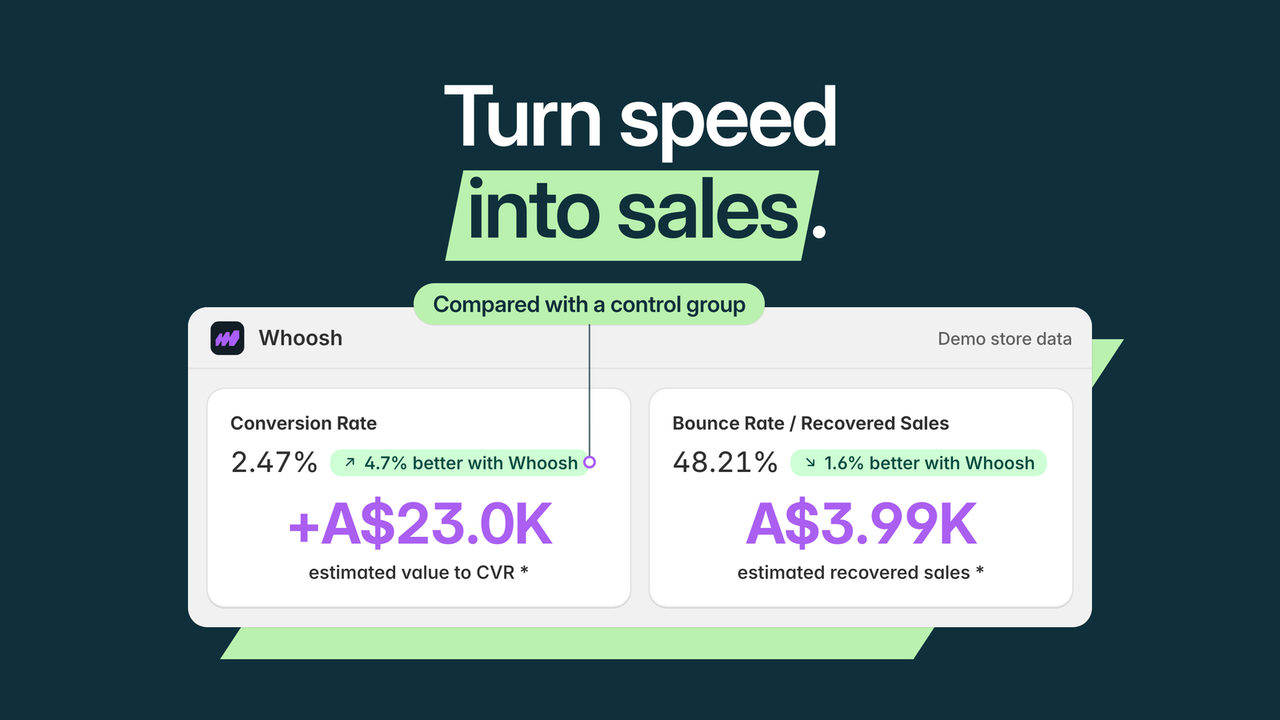
Whoosh's official demo compares treated visits with a control group. The figures shown are not results from our store.
Your reviews widget, email tool and support app may all be useful. The problem is not necessarily having them—it can be asking them to load before the shopper sees the product.
Whoosh AI Page Speed Optimizer addresses two different waits: the wait for the current page's important content and the wait after moving to another page. Smart App Loading changes when supported apps load. AI Page Preloading prepares a likely next page before the shopper opens it.
This guide is part of a reciprocal content collaboration with Whoosh. It explains the mechanisms and the vendor's reporting method; it does not present our own speed test or promise a conversion increase.
First-page loading and next-page waiting are different problems
A storefront visit has more than one moment of friction. On arrival, the shopper needs the page to become visible and usable. After choosing a product, they need the next view to appear without another unnecessary wait.
Match the mechanism to the wait
Current page: Smart App Loading
Sequence supported third-party app loading so critical page content can appear before non-essential scripts. This concerns the order of work on the page being opened.
Next page: AI Page Preloading
Prepare a likely next page in the background. This concerns navigation after the shopper has already begun browsing.
Those jobs can complement each other, but one does not replace the other. A preloaded next page does not explain why the original landing page took too long. Similarly, managing app loading does not mean every subsequent page has already been prepared.
Smart App Loading keeps the tools, changes the sequence
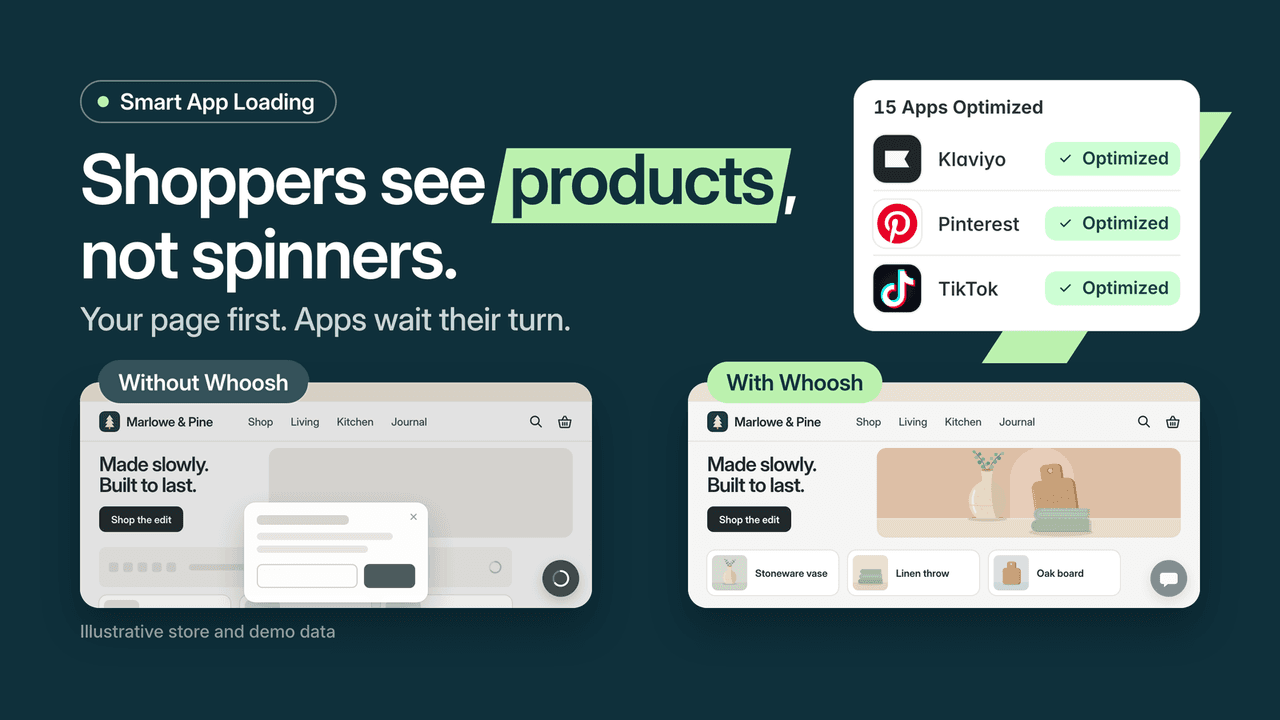
The vendor illustration explains page-first loading; it is not our before-and-after test.
The Shopify listing describes automatically detecting supported apps and delaying or sequencing non-critical loading. Its compatibility list includes more than 40 apps, with Klaviyo, Gorgias and Facebook Pixel among the named examples.
The value is preserving useful storefront capabilities while changing when they compete with the main content. That is a more specific claim than saying the app “optimizes everything.” A custom theme issue or an unsupported integration may still need separate attention.
Whoosh's FAQ says it does not rebuild or edit the theme. It runs alongside the storefront, and the team addresses compatibility questions. For a highly customized store, check the exact tools you rely on rather than treating a compatibility count as universal coverage.
After configuration, review the interactions that matter to shoppers: opening product options, adding to cart and accessing help. These are merchant acceptance checks, not evidence that we tested Whoosh or that every app requires manual timing settings.
AI Page Preloading prepares likely navigation
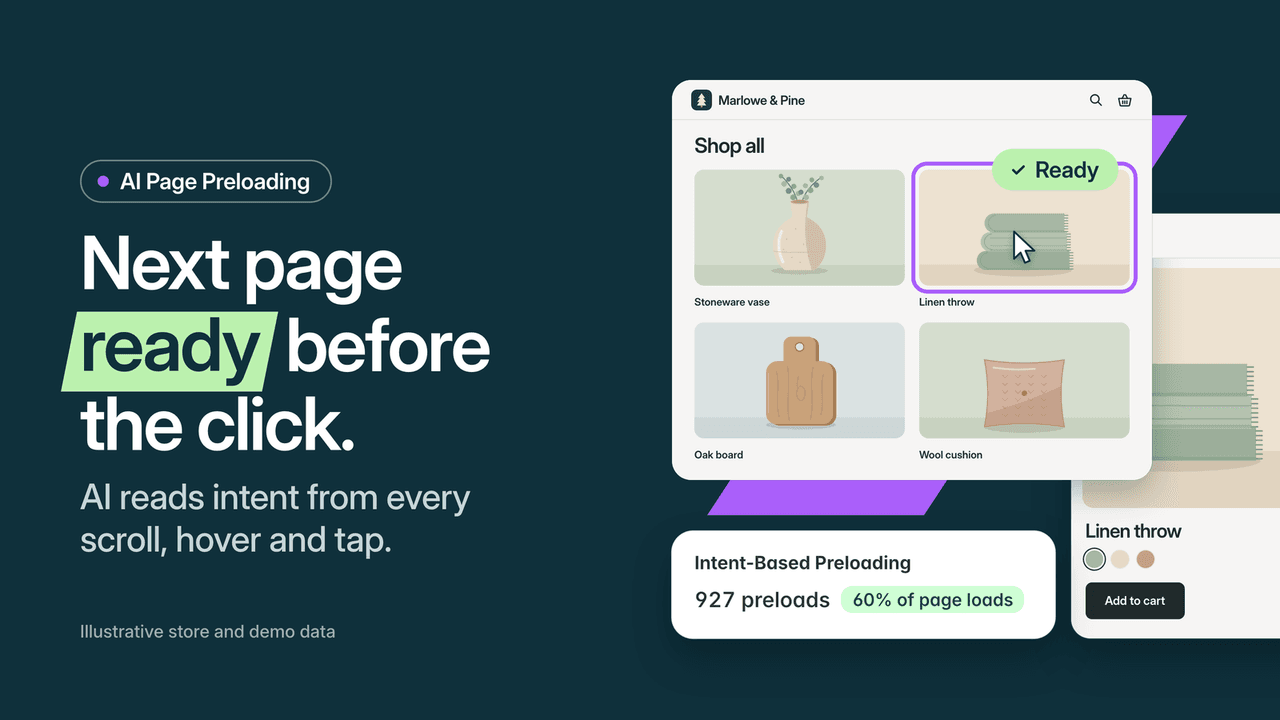
A likely next page is prepared before the shopper opens it. Counts shown are demo data.
The preloading explanation describes learning how visitors move through a store, then preparing the likely next page and its main image. Hovering, scrolling or pausing can also trigger preparation.
For merchants, the distinction is straightforward: work can begin before the click instead of only afterward. That can make a browsing journey feel more responsive. The product page says learning depends on traffic, so do not interpret the feature as an immediate guarantee for a new or very low-traffic store.
The official boundaries are useful too. Whoosh can preload the cart, but not checkout or account pages. Preloading is therefore not a payment optimization feature, and it should not be marketed as one.
Avoid running several tools to perform the same preloading job. A store can have different kinds of performance work, but duplication needs a reason. Inventory the existing speed tools before adding another one to the same responsibility.
What the dashboard compares
Two cohorts, one store and one period
Initial comparison
The measurement guide describes starting with half of shoppers receiving Whoosh and half without it, over roughly the first month.
Ongoing comparison
After the result is clear, the described split becomes 90/10, keeping a control group rather than assuming the improvement continues unchanged.
Read the outcome
The guide defines conversion as the share of visits ending in an order. Compare the two cohorts using the period and scope shown, alongside real-shopper speed and bounce information.
With unequal cohorts, raw order or revenue totals alone are especially easy to misread. Keep the group sizes and dashboard definitions visible when discussing the result. This explains the vendor's stated process; it does not reproduce a Whoosh experiment or promise the same lift for another store.
Whoosh's measurement page describes an initial 50/50 split: half of shoppers receive Whoosh and half do not. It then moves to a 90/10 split when the result is clear, retaining a control group.
The dashboard compares conversion and revenue between groups and displays speed and bounce information. This is the vendor's own measurement process, not an independently reproduced analysis in this guide.
That distinction matters when reading a revenue figure. Ask what period it covers, how much traffic each group received and whether the conversion definition fits your reporting. A dashboard label is not the same as net profit, and a reported result from another store is not a forecast for yours.
Look at the shopping experience alongside the metrics. A faster page that leaves an important interaction unavailable is not a successful rollout. Conversely, a single laboratory score should not be the only measure of whether visitors can browse comfortably.
Choose the plan by mechanism
The listing, checked October 7, 2026, shows three monthly plans in USD.
Swipe horizontally to read the full table.
| Plan | Monthly price | Included mechanism |
|---|---|---|
| Smart App Loading | $99 | Supported app loading detection and sequencing |
| AI Page Preloading | $99 | Predictive next-page and main-image preloading |
| Whoosh Max | $149 | Both mechanisms |
Each plan shows a seven-day free trial. Choose the mechanism that corresponds to the problem you have identified, rather than selecting a package solely because another store reported a result.
If supported third-party tools compete with the product content, investigate Smart App Loading. If the first view is acceptable but shoppers wait when browsing onward, investigate preloading. Max combines the two when both responsibilities are relevant.
Where Whoosh fits—and where it does not replace other work
A store with several useful storefront tools has a clear reason to examine load sequencing. A browsing-heavy catalog has a clear reason to examine the delay between views. These are different use cases, and the explanation should stay specific to them.
Whoosh does not remove the need for good product images, readable content or a reliable cart. Nor does faster loading guarantee SEO rankings or AI recommendations. It addresses a performance part of the experience, while the rest of the merchant's content and operations still matter.
If your team also uses a diagnostic tool, keep the responsibilities clear. Understanding where visitors struggle and managing when scripts load are related tasks, but they are not interchangeable product claims. Two apps should not be instructed to control the same scripts without confirming compatibility.
Frequently asked questions
Do I need to delete the apps I already use?
Whoosh's app-loading approach is designed around sequencing supported tools, not requiring their removal. Check the exact compatibility of your current stack.
Does AI Preloading fix the initial page load?
It prepares likely next navigation. Smart App Loading addresses supported apps competing with the current page's content; the two mechanisms have different jobs.
Does it preload checkout?
The official documentation says no. Cart preloading is possible, but checkout and account pages are excluded.
Is the dashboard revenue figure a promised result?
No. Whoosh describes comparisons between shopper groups on the store. Read the measurement period and definitions, and do not substitute another store's figures for your own.
Explore Whoosh's feature explanations and the Shopify app. Start with the wait your shoppers actually experience, then choose the mechanism designed to address it.

