
A product can be available in your store and still be unsuitable for a particular delivery address. For a merchant, the difficult part is not simply refusing the order. It is applying the right restriction to the right item and telling the shopper what happened before they pay.
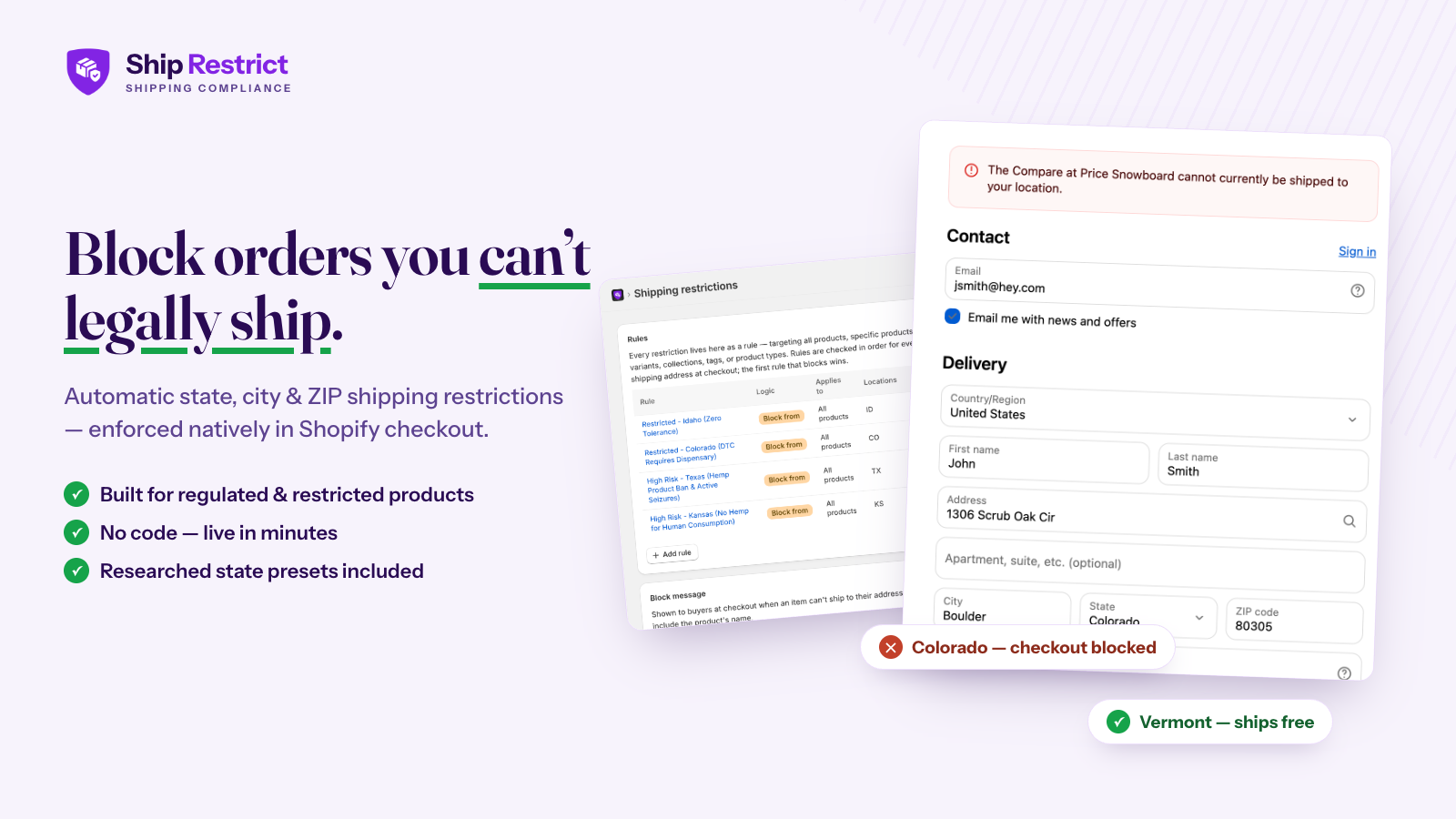
Ship Restrict is a Shopify app for product-specific shipping restrictions within the United States. It combines destination rules with checkout validation, so a restricted order is stopped with an explanatory message rather than becoming a fulfillment problem later. It is worth considering when your shipping decisions depend on both the product and its destination, not just the delivery rate.
This article is part of a reciprocal content collaboration. Product descriptions come from official materials; the workflow suggestions below are editorial recommendations, not results from a store test.
When a shipping zone is not enough
Think about the difference between two questions: “What does delivery cost?” and “Can this item be sold for delivery to this address?” A rate answers the first. A product restriction needs to answer the second, especially when only part of your catalog is affected.
For example, a nursery may need to treat different plant varieties differently. Applying a restriction to the entire store would also prevent customers from ordering items that can be delivered. A similarly broad approach can make a specialist catalog difficult to maintain: every exception becomes another workaround.
The useful starting point is therefore a product-and-destination policy. Write down which items need special treatment, the locations involved, and the reason for each restriction. That policy should exist before you translate it into an app rule. A checkout tool can enforce a decision; it cannot decide your obligations for you.
Choose which products a rule covers
The Shopify-specific product page describes targeting the whole catalog, individual products, variants, collections, tags and product types. These are different ways of keeping the same business policy manageable.
Use a narrow selection when an exception belongs to one item. Use a collection or tag when several products share the same restriction and your team already maintains that grouping consistently. Catalog-wide targeting makes sense only when the policy genuinely applies across everything you sell.
| Catalog choice | How to think about it |
|---|---|
| Individual product or variant | Keep a specific exception separate from similar items that remain available. |
| Collection, tag or product type | Group items under a shared policy, with a clear owner for maintaining membership. |
| Whole catalog | Use a store-wide restriction only when every item needs the same treatment. |
The maintenance question matters as much as the initial setup. If new products enter a restricted collection, someone needs to know whether the existing rule should apply to them. If staff remove a tag during a merchandising update, that change should not accidentally remove a necessary restriction. Treat the catalog grouping as part of the shipping policy, rather than a cosmetic label.
Block locations or allow only selected locations
Ship Restrict supports US state, city and exact ZIP-code targeting. Its Shopify page also documents ordered rules: the first matching rule wins. That makes both the rule's meaning and its position important when coverage overlaps.
Two ways to express the delivery policy
Block the listed locations
Choose this approach when you have a defined set of destinations that must be excluded. Review the excluded list whenever the underlying policy changes; a short list is helpful only while it remains complete.
Allow only the listed locations
Choose this approach when delivery should be limited to a defined service area. Pay particular attention to new locations: an omitted destination is outside the allowed area, not an exception that is automatically permitted.
Avoid building a rule set one customer complaint at a time. Before adding another exception, look for an existing rule that covers the same products or locations. Overlapping rules become harder to reason about if nobody can explain which one should take precedence.
Four parts of a shipping restriction
Product scope
Choose the affected products, variants or catalog group. A location restriction should not accidentally apply to unrelated items.
Destination
Choose the relevant US states, cities or exact ZIP codes. The official page describes case-insensitive city matching within a state; ZIP matching uses explicit codes, not an assumed radius.
Decision and order
Select block or allow-only, then review where the rule sits. The first matching rule determines the outcome, so a later exception cannot be assumed to override an earlier match.
Shopper message
Explain the restricted product and destination before payment. Keep the explanation separate from internal policy notes.
Describe the expected decision in plain English first, then compare it with the configured rule order. This is a review method, not a claim that the app provides an automatic policy-conflict audit.
Explain the restriction before payment
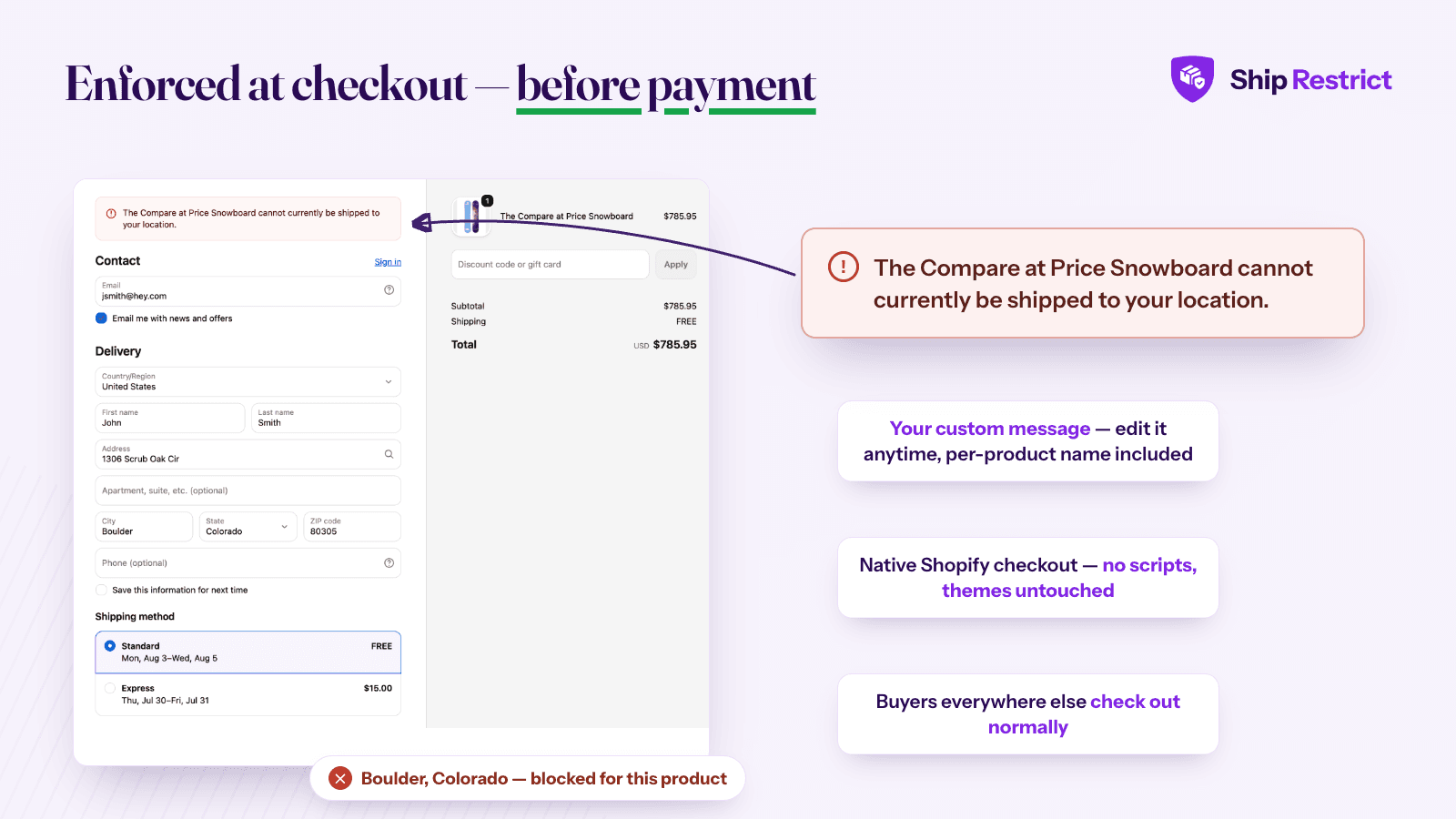
The message names the affected item, so the shopper can understand why checkout cannot continue.
The official materials describe checkout being stopped before payment, with a custom message that identifies the restricted product. The message is an important part of the buying experience: shoppers need to understand that the issue is a delivery restriction, not a failed payment or an out-of-stock item.
Good restriction copy should name the affected item and explain the destination limitation without exposing internal policy notes. If there is an appropriate alternative, tell the customer how to explore it. Do not promise that changing the address will always solve the issue, and do not suggest removing an item unless that is genuinely the next step for your catalog.
For mixed baskets, review the customer journey carefully. A shopper may have both restricted and unrestricted items, so the wording must not imply that every product is unavailable. The public feature descriptions do not establish every possible checkout-channel interaction or automatic basket adjustment. Check your own checkout paths rather than assuming the app removes items on the shopper's behalf.
The same care applies to support. Give the team a short explanation of why the rule exists and who can review an exception. An exception should be a deliberate policy decision, not a way to bypass an inconvenient message.
Use presets and imported rules responsibly
Ship Restrict's Shopify page presents researched presets as starting points, not legal advice. It also describes JSON import and export, including a preview before import. These can help with setup and keeping a copy of a rule set, but they serve different purposes.
A preset helps you begin reviewing a category. It does not establish that the preset covers every product, destination or current requirement relevant to your business. A saved export helps preserve a configuration. It does not establish that the configuration is still correct.
Keep the supporting policy alongside the operational rule: what it covers, why it exists, when it was reviewed and who owns the next review. This can be a simple internal record rather than a complex compliance system. The point is to make later changes understandable to someone who did not build the original setup.
When importing between stores, compare catalog organization and the intended policy before treating the imported file as ready to use. A staging store is useful for checking a proposed configuration; a backup is useful for recovering one. Neither replaces checking the live customer journey after an approved change.
Pricing and a practical rule review
As listed on October 8, 2026, Ship Restrict for Shopify costs $19.99 per month or $199.99 per year, with a 7-day free trial. The Shopify product page says billing goes through the Shopify invoice and that Shopify Plus is not required. Its WooCommerce offer is separate; do not use that platform's pricing or trial terms to budget for the Shopify app.
Use an evaluation period to answer practical questions about your catalog, rather than trying to measure an unsupported revenue lift. Can staff explain each rule? Do product groupings match the policy? Is the block message understandable on a phone? Does an unrestricted basket still follow the expected buying path? Who will maintain the rules as the catalog changes?
Ship Restrict is most relevant when those product-and-destination decisions are a recurring part of operations. If the underlying need is instead purchasing, supplier coordination or tracking shipments, that is a different task; our supplier order-routing guide covers that side of fulfillment.
Frequently asked questions
Does Ship Restrict require Shopify Plus?
The official Shopify product page says it works on standard Shopify plans without Plus. Check the current listing and your store's compatibility before installing.
Can a restriction apply to one variant rather than the whole product?
Yes. Individual variants are among the targeting options described on the Shopify product page. That is useful when similar variants do not share the same delivery restriction.
Are the built-in presets legal advice?
No. The vendor explicitly describes them as starting points. Merchants remain responsible for determining the rules that apply to their products and keeping those decisions current.
Will a restriction automatically remove the item from the cart?
The official description promises checkout validation and an explanatory message, not automatic removal. Do not design your customer instructions around an automatic basket change that has not been confirmed.
For the current offer and supported setup, see the Shopify listing and the Ship Restrict Shopify page.

